
GUIDE · Jiliko
When a respin counter resets to three: what the number means
A respin display can move from two back to three without awarding three additional turns. If the rule says “reset to three”, the new remaining total is three. Reading that instruction as addition produces five and invents turns the feature never promised.
For the topic overview, see 100 JILI slot game profiles.
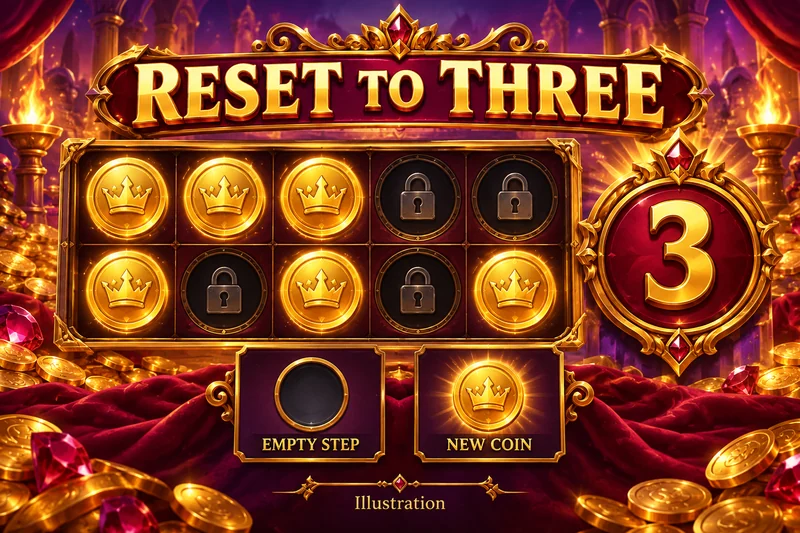
A documented example, with a clear boundary
Play’n GO’s Book of Dead GO Collect description gives a concrete example: Treasure Vault starts with three Re-Spins, a new Stater resets the counter to three, and the feature ends when the grid fills or turns run out. That establishes a reset mechanism for this named game.
It does not establish the counter rule for every title in our Lock & Respin library. That category groups JILI descriptions. The Play’n GO example is an outside reference that makes the operation easier to understand, not evidence that the two providers use identical rules.
Read the remaining number after each event
The following is our simplified teaching sequence. Assume a feature starts with three turns, consumes one turn on an empty result and resets to three after a qualifying new coin. The grid stays unfilled throughout these steps.
| Point in sequence | What happened | Turns remaining afterward |
|---|---|---|
| Entry | Feature begins | 3 |
| First result | No qualifying new coin | 2 |
| Second result | A qualifying new coin appears | 3 |
| Third result | No qualifying new coin | 2 |
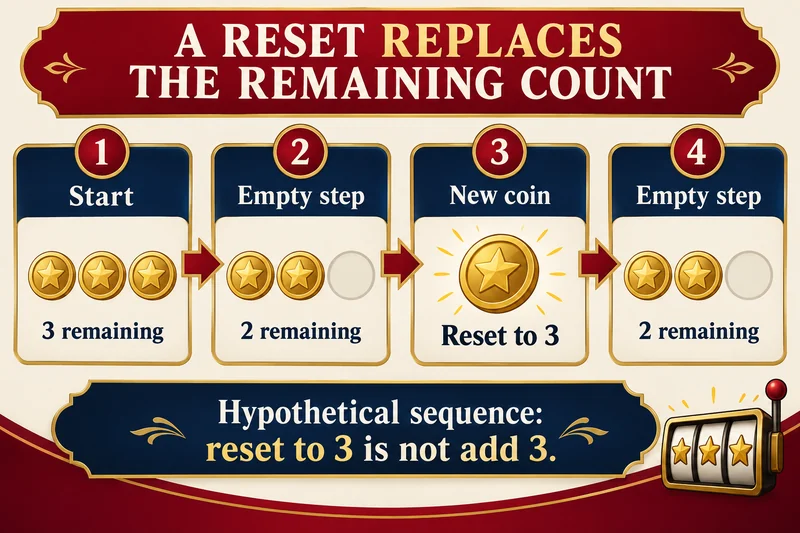
At the second result, write “remaining = 3”. Do not write “previous remaining + 3”. The counter is a snapshot of the current allowance. It is not a cumulative record of how many turns have happened or how many coins have landed.
The counter and the wallet answer different questions
A changing counter alone does not establish a new stake deduction. Suppose a round record shows one initial debit and several feature events beneath the same round. Counting every change of the reels as another paid spin would overstate the recorded spending. Conversely, a separate purchase confirmation must not disappear from the ledger just because it opens a familiar-looking feature.
Keep two notes: the event that changed the counter, and the transaction that changed the balance. If the history is incomplete, leave the debit question unresolved. A counter screenshot cannot supply the missing transaction.
What to check when the display seems inconsistent
First read the exact qualifying-symbol rule. A coin-shaped decoration may not be a qualifying new coin. Then check whether a separate end condition has been met: a full board can end a feature even while an old counter image remains visible during its transition.
For another edition, record its own starting allowance, reset event and end condition before applying this worksheet. The Jiliko learning guides provide broader reading, while the Jiliko overview leads back to the game library. This article explains a rule operation; it makes no prediction about the next coin, feature duration or payout.
Source checked 8 October 2026. Documentary research and an original hypothetical sequence; no gameplay or payment testing.
AI-assisted source research and original explanation. No gameplay, payments or operator-availability testing was performed. Sources checked 2026-10-08.